
JetBrains DataGrip
Connect to a Beacon server from JetBrains DataGrip. Use the Arrow Flight SQL JDBC driver. You then get a full SQL interface in the IDE. You can browse the tables, run queries and explore your data.
Prerequisites
- DataGrip installed
- A Beacon server with Arrow Flight SQL on. It is on by default.
- Port
32011, reachable from your machine. See Expose the Flight SQL port below.
Step 1. Download the Arrow Flight SQL JDBC driver
Download the driver:
- Open the JetBrains JDBC Drivers page. Search for "Apache Arrow Flight". Click a version, 18.3.0 or later. This downloads a zip file with the JAR. Unzip the file. Find the JAR, for example
flight-sql-jdbc-driver-18.3.0.jar.
Step 2. Add the driver to DataGrip
- Open Database Explorer → New → Driver.
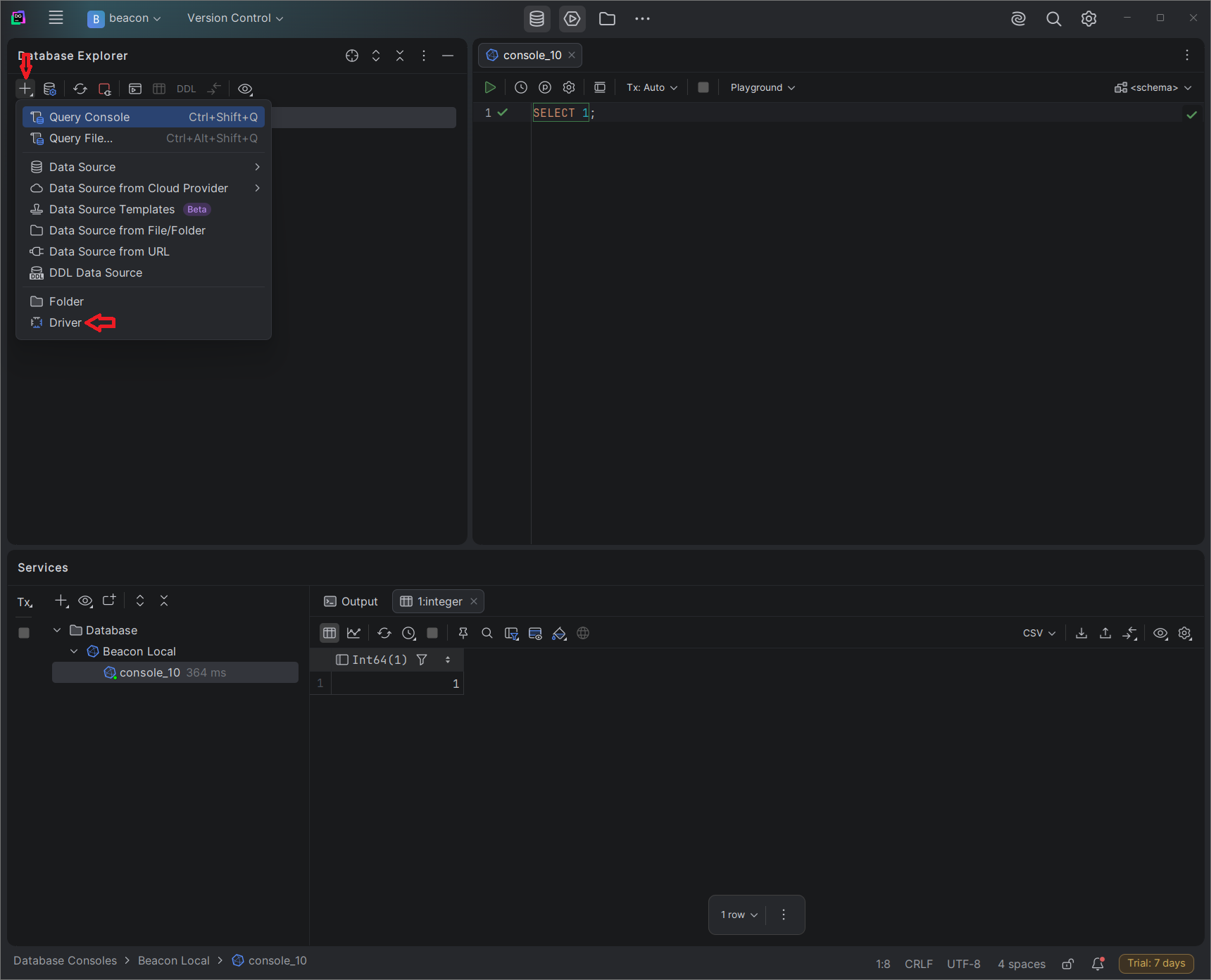
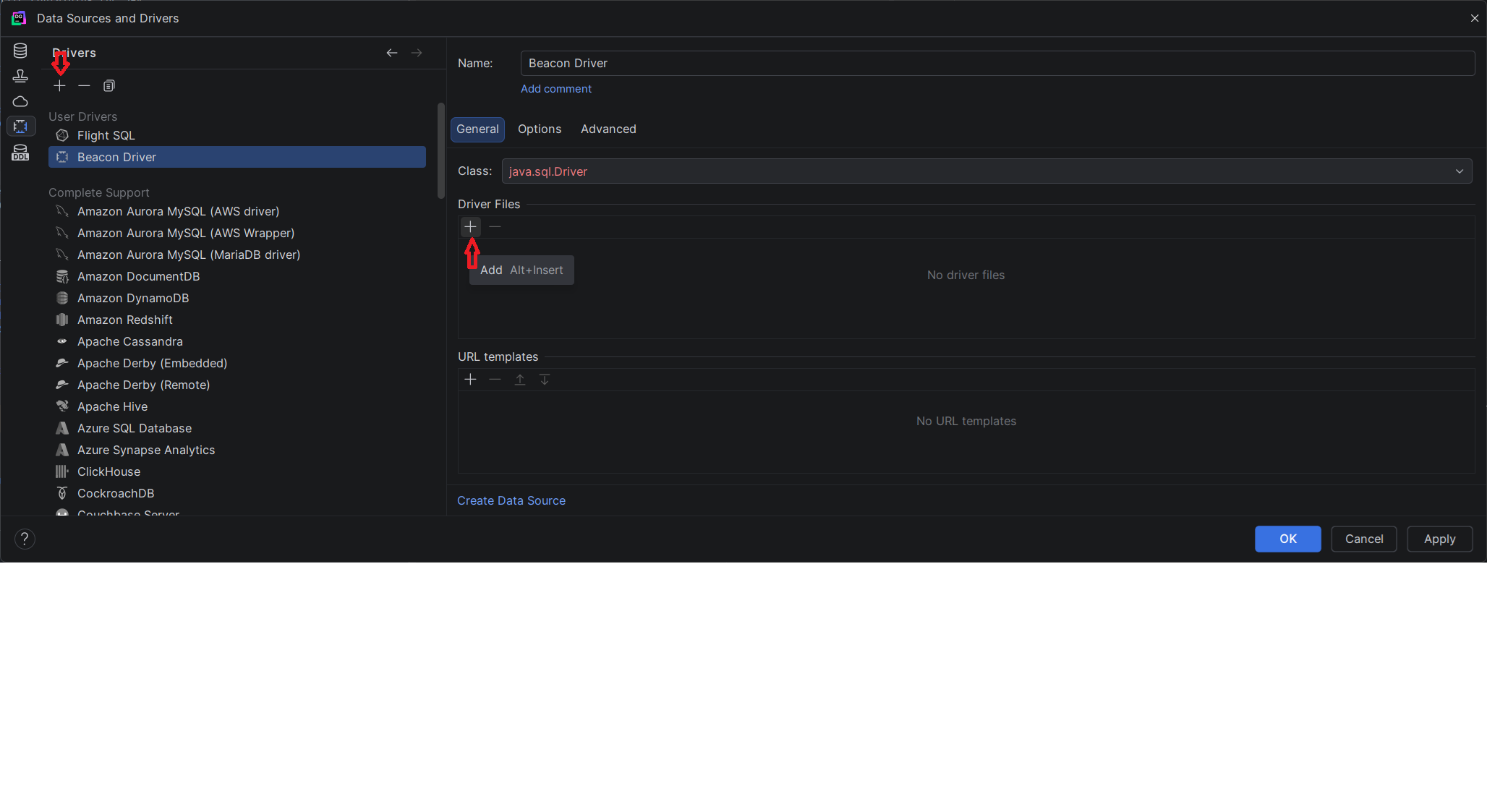
- Click + to create a driver. Give it a name, for example Beacon Driver. Add the JAR from step 1. Set the driver class to
org.apache.arrow.driver.jdbc.ArrowFlightJdbcDriver. Save the driver. - Under Driver Files, click + → Custom JARs…. Select the JAR from the zip file.
- Set Class to
org.apache.arrow.driver.jdbc.ArrowFlightJdbcDriver.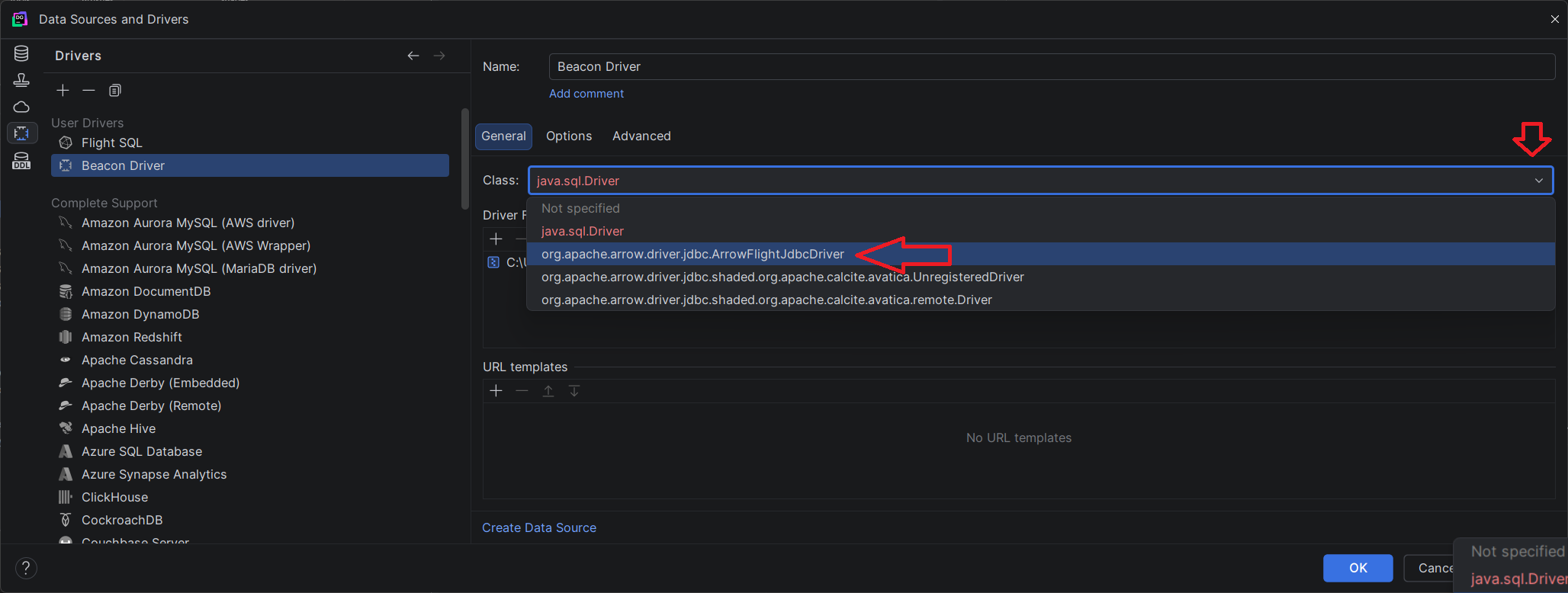
- Click OK to save the driver.
Step 3. Create a data source
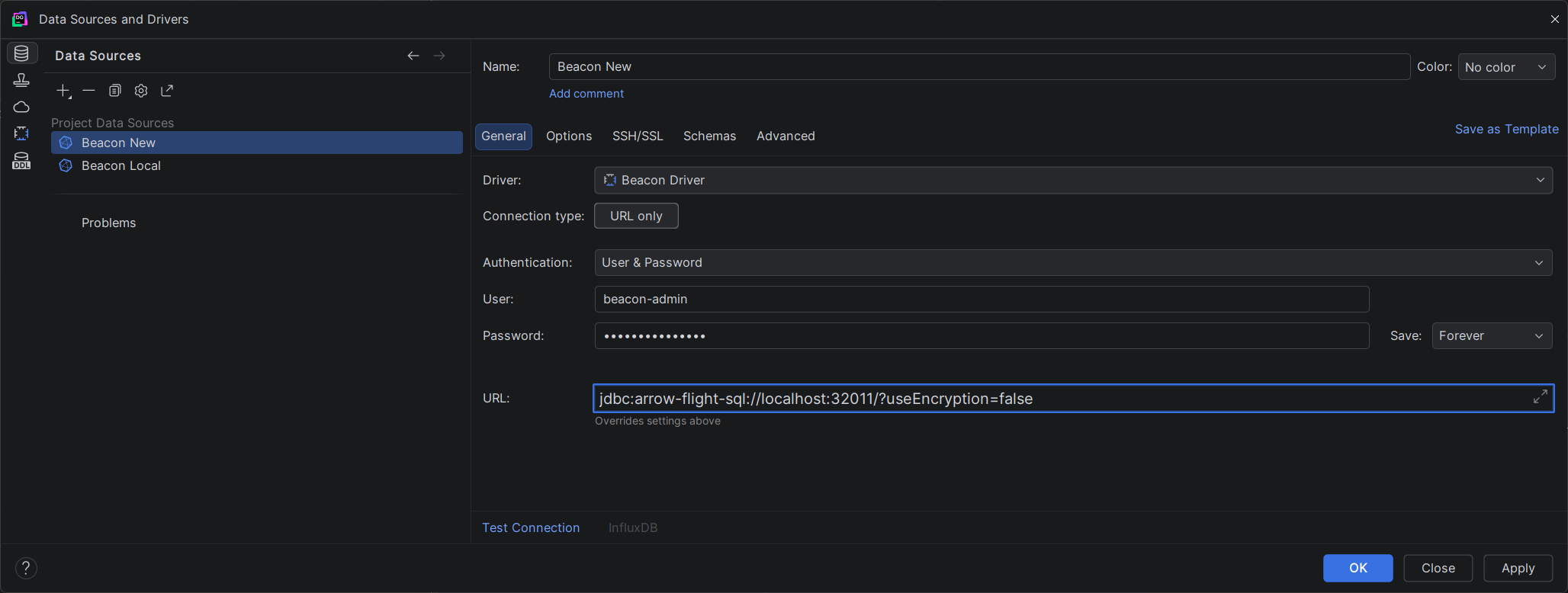
- Open Database Explorer → New → Data Source -> YOUR_DRIVER_NAME.
- Click + → select the YOUR_DRIVER_NAME driver.
- Fill in the connection details:
| Field | Value |
|---|---|
| User | Your Beacon admin user name (BEACON_ADMIN_USERNAME) |
| Password | Your Beacon admin password (BEACON_ADMIN_PASSWORD) |
| URL | jdbc:arrow-flight-sql://localhost:32011?useEncryption=false |
INFO
Does your Beacon server use TLS? Then change useEncryption=false to useEncryption=true in the JDBC URL.
- Click Test Connection. DataGrip shows a Successful message.
- Click OK to save.
Expose the Flight SQL port
Arrow Flight SQL listens on port 32011 by default. With Docker Compose, publish that port:
yaml
services:
    beacon:
        image: ghcr.io/maris-development/beacon:v2.0.0
        ports:
            - "5001:5001"   # HTTP API
            - "32011:32011" # Arrow Flight SQL  #
Query your data
After the connection, DataGrip reads the available tables. You can then do two things:
- Browse the schema tree in the Database panel.
- Open a query console and run SQL over your datasets.
sql
-- List all available tables
SHOW TABLES;

-- Query a dataset
SELECT 1;

-- Query a dataset
SELECT * FROM read_netcdf(['my_dataset.nc'], ['TIME', 'DEPTH']) LIMIT 100;
TIP
A Beacon table takes the name of your dataset file, or of your external table. Do you see no tables? Then right-click the data source and select Refresh.
Configuration reference
These environment variables tune the Arrow Flight SQL endpoint of your Beacon deployment:
| Variable | Default | Description |
|---|---|---|
BEACON_FLIGHT_SQL_ENABLE | true | Switch the Flight SQL server on or off |
BEACON_FLIGHT_SQL_HOST | 0.0.0.0 | The IP address of the listener |
BEACON_FLIGHT_SQL_PORT | 32011 | The port of the Flight SQL gRPC server |
BEACON_FLIGHT_SQL_ALLOW_ANONYMOUS | false | Allow a connection without credentials |
BEACON_FLIGHT_SQL_TOKEN_TTL_SECS | 3600 | The lifetime of an auth token, in seconds |